
This week, during technology class, we were able to present in groups of 4 on topics of our choice related to tech education. This was such a lovely opportunity, and I learned so much valuable information that I will be taking into the future. In this post, I wanted to take some time to discuss each of these presentations and the main points from each.
Group One- From Screens to Scenes
The first presentation that was chosen presented the lovely topic of Virtual Field Trips. These are technology-based experiences that combine audio and visuals to immerse students in interactive environments.
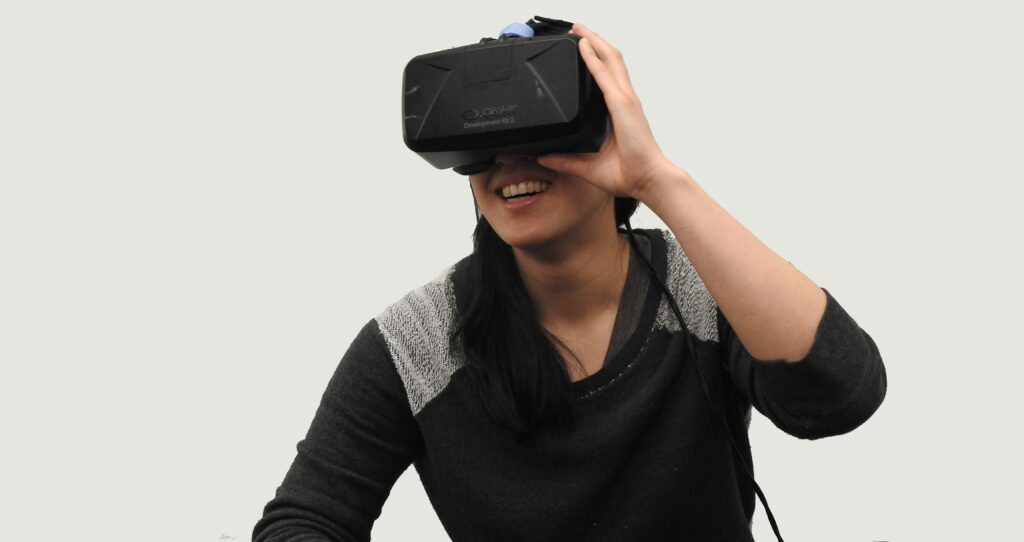
Our classmates provided lots of useful information about how Virtual Field Trips can be an affordable, accessible way to provide experiences for your classroom. They foster inclusion by providing equal access to all students and lowering social barriers for children who may be discomfort.
One thing I really enjoyed learning about is the Universal Design for Learning, as I hadn’t learnt about it. UDL is a teaching approach that designs lessons from the start to include all learners. Our classmates mentioned three UDL principles:
- Multiple means of engagement
- Multiple means of representation
- Multiple means of action and expression
I had never thought too much about implementing Virtual Field Trips in my future classes, which truly shocks me because I have been on some in the past and really enjoyed it. This group was very informative and emphasized that since field trips can be so costly, and aren’t always something teachers have in their budget, taking students on Virtual Field Trips can truly change the way you teach and engage your kids.
My biggest takeaway from this presentation is that virtual field trips are an extremely accessible way to take kids to places without the worry of time, distance, and money. With intention, proper planning, and a clear explanation, Virtual Field Trips can be an amazing way to strengthen your class community and provide fun, inclusive ways to learn.
I was curious if I could find some sources I could potentially use in the future so i did a little bit of digging myself:
Digital Field Trips | Royal BC Museum and Archives
How to Design Interactive Virtual Field Trips using Google Earth – Llearning Llama
Virtual Field Trip through the Past using GPlates
Group Two- Unplugged or Unprepared
The second group that presented made a lovely podcast, and asked the inquiry question, “To what extent is it important for elementary school children to develop digital literacy and internet awareness, not only in using technology but also in understanding how it works, and how does this impact their social-emotional development?”
“Tech is a tool, not a toy.”
We filled out a Padlet question at the beginning of the presentation to answer what our potential biases on tech may be. To be honest, it wasn’t too surprising to see that many of us felt similarly, saying things like “kids overuse and depend too much on technology,” and “technology isn’t reliable.”

I found the answer they provided to their inquiry question was extremely well thought out and professional. They explained how digital literacy matters, but internet awareness is even more essential. It’s critical to teach children about digital citizenship and responsible technology use. They don’t need to be tech experts, but they do need to understand how to navigate the online world safely.
This group ended up making a podcast to interview three different teachers and get some insight for their project; however, on the final video, they ran into some technological complications and turned it into a positive by emphasizing that technological errors can happen, and you may just need to adapt and move on.
Group Three- High Tech, Low Tech, No Tech
My group looked into the possible implications of high, low, and no-tech in the classroom. Before the presentation, one of my amazing group members created a QR code and poll using Mentimeter, which we put around the school for students outside of our program to scan. We asked their opinions on which type of classroom they would prefer to learn in.
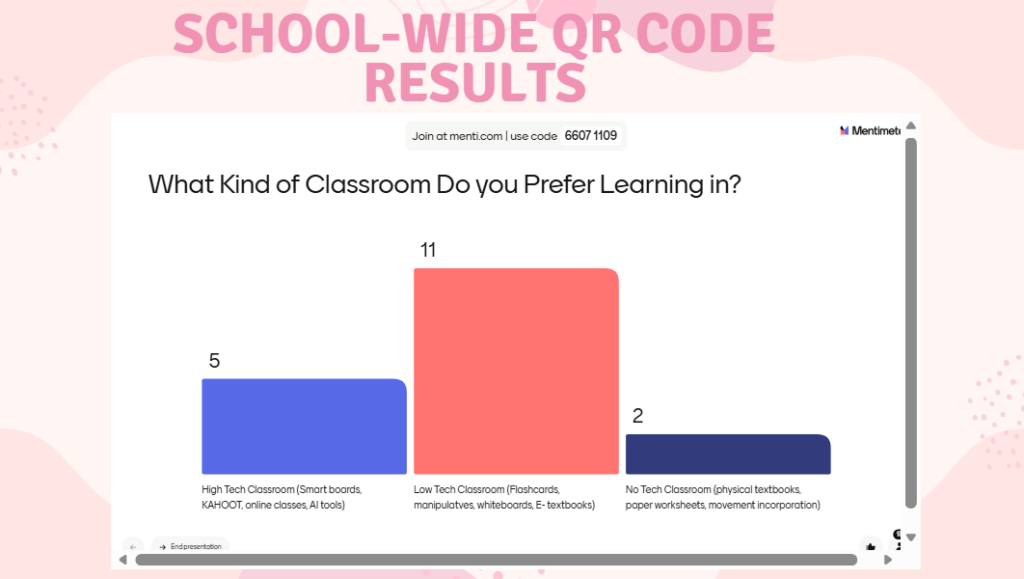
During our presentation, we provided a separate link, which brought our classmates to the same poll in order to compare and reflect.
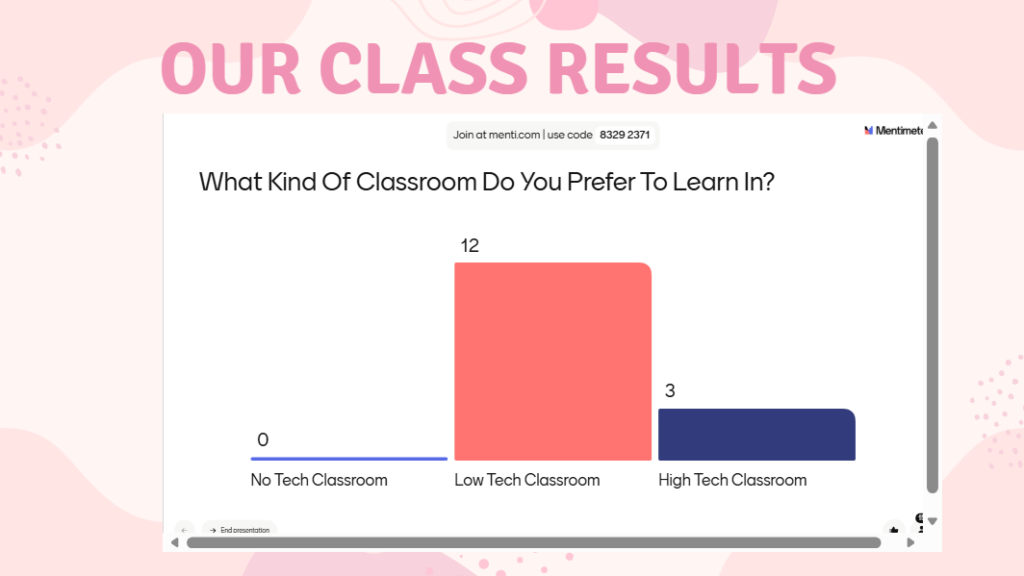
As a group, after investigating high-tech, low-tech and no-tech, we, as a group, concluded that we would all prefer to learn and teach in a low-tech classroom because technology is truly never avoidable, but there will also still always be the need to use traditional no-tech learning as well.
The biggest point for our classmates to have taken from our presentation is simply to “find a balance that works for you and your students.” You may have to adapt your lessons and ways of teaching to accommodate your class, but in this digital world, technology will always be present. We have learned this semester that connecting with your students is crucial to creating a safe learning environment. These connections will help you understand your students’ needs and what type of learning will suit them best.
Group Four- Finding the Balance
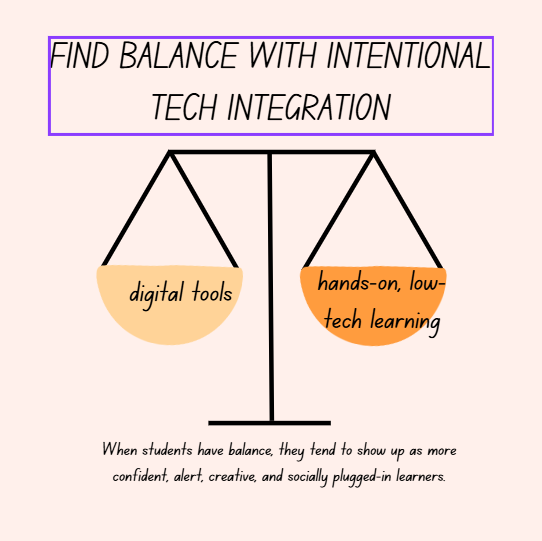
This groups presentation focused on exploring intentional tech integration.
“How can teachers find the right balance between low-tech, hands-on learning and high-tech digital tools to support meaningful student engagement in today’s classrooms?”
Each group member presented a different topic through their own lenses which was integrated into a website that they created.
Literacy: Tech should serve as a bridge, not a barrier. Teacher should encourage their students to slow down, start with paper before screens, and blend indoor and outdoor learning.
Critical Thinking: Encouraging deep thinking and reflection is a necessity for student growth. Collaborative problem solving is a cognitive function that students learn over time, and if tech learns for students, their reasoning and social skills may decline.
Cognitive: Depending too heavily on technology can damage students’ critical thinking skills, may impair attention, sleep quality, and many other factors that heavily affect brain development and academic progress.
To me, this project shows the necessity for balancing out the use of technology in the classroom. The project emphasized that we need to use tech to support learning goals, blend on and offline tasks, along with providing active and guided screen use.
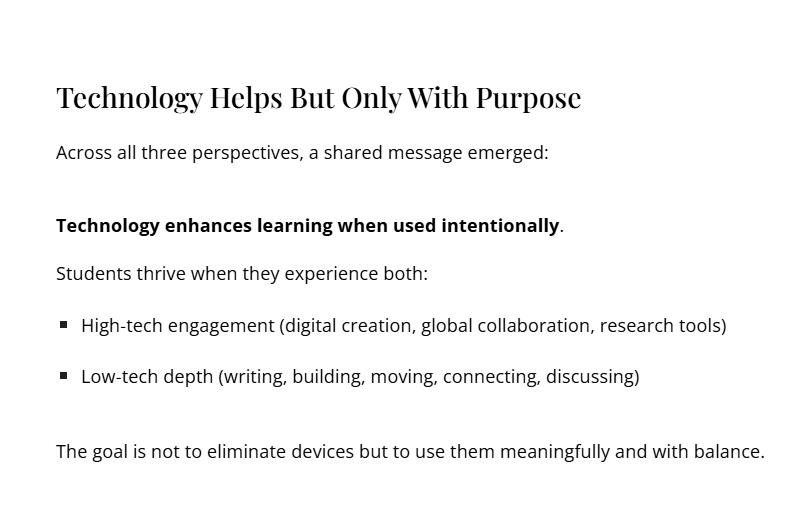
I really like this point from their website’s Summary, as I feel it very much connects to my takeaway.
Group Five- Tech and Student Safety
The final presentation focused on student safety and how technology can be used to help with safety needs.
“How can schools use technology to enhance student safety during emergencies while balancing privacy, equity, and a positive learning environment?” – Website for Group 5 Presentation
This project was truly informative and gave me so much information on various topics such as security systems, emergency communication apps (like Rave Panic Button, CrisisGo), and Securly.
One part of this presentation that I found extremely interesting was the topic of a Room Clear Tracker. I looked into this further and found the website that this group spoke about in their presentation. “A room clear happens in schools when a student is in crisis and their behavior has escalated to the point where they might be putting themselves or other students at risk.” This is a topic I had never heard about until now and honestly had never considered its importance, but I feel as if it could truly help the administration better their approach to future incidents.
Securly collects information about students’ online use to promote safety and well-being, using features like web filters, device monitoring, and AI systems that flag possible issues such as cyberbullying, self-harm, or other worrisome patterns. Although these tools are designed to safeguard learners and keep caregivers updated, the group also highlighted important concerns around privacy, trust, and how constant monitoring might affect students emotionally.
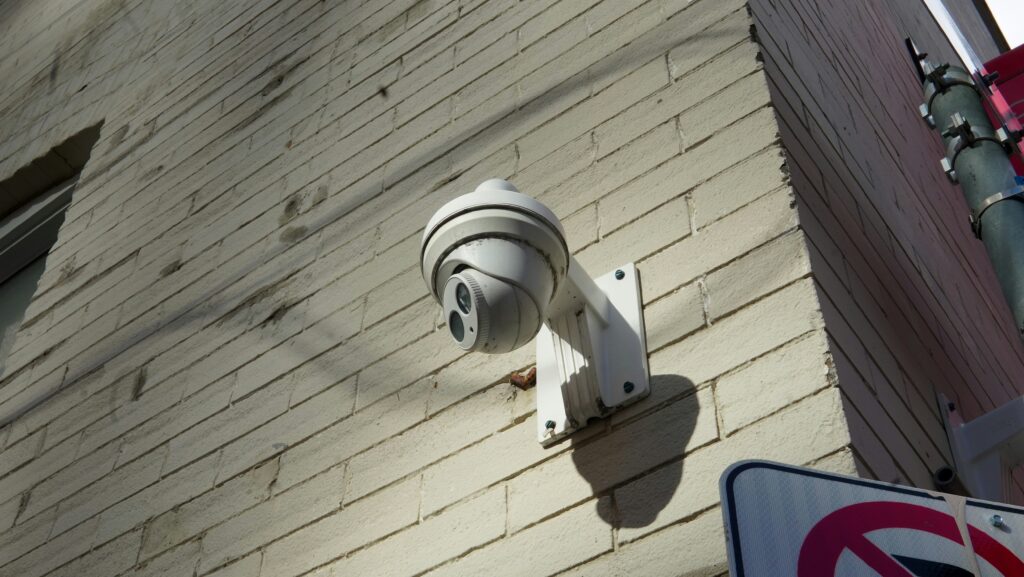
I should also mention one recurring topic in this presentation: student trust. Support students’ privacy by using resources like Securly that keep student information confidential. This group stated, schools should have a balance of safety and privacy by placing cameras in public areas, limiting access to the footage, and explaining to students why safety precautions are a necessity in schools.
Reflection
I found it quite intriguing that all of our topics centered around topics like inclusion, accessibility, and using technology in intentional ways. Each of these presentations highlighted different aspects of technology in education that I hadn’t previously considered and that truly inspired me to look more into each topic individually. I really enjoyed the first group’s presentation and felt like it really spoke to me as a future educator. Virtual Field Trips are definitely something I would want to take my students on because, in reality, I might not be able to afford fun trips for my students.
Stepping into this project, I truly had no idea what to expect from each of the groups, but I was so happy to see that each presentation was just as great as I had expected it to be. Overall, I am grateful to be around a group that wants to strive for an inclusive and meaningful environment for their students, whether using technology or not. I feel as if these presentations have completely opened up a range of resources for my future classroom, and I am so excited to see what amazing things I will do with technology.
Sorry, but comments are not enabled on this site.